Splits app icon

Your training, sleep and recovery, on your Mac.

Every activity in detail, your sleep and HRV read against your own normal, records, race predictions and every country you've run in. A fast, native app that keeps your data on your Mac.

Free · macOS 14 or later · Works with Garmin Connect

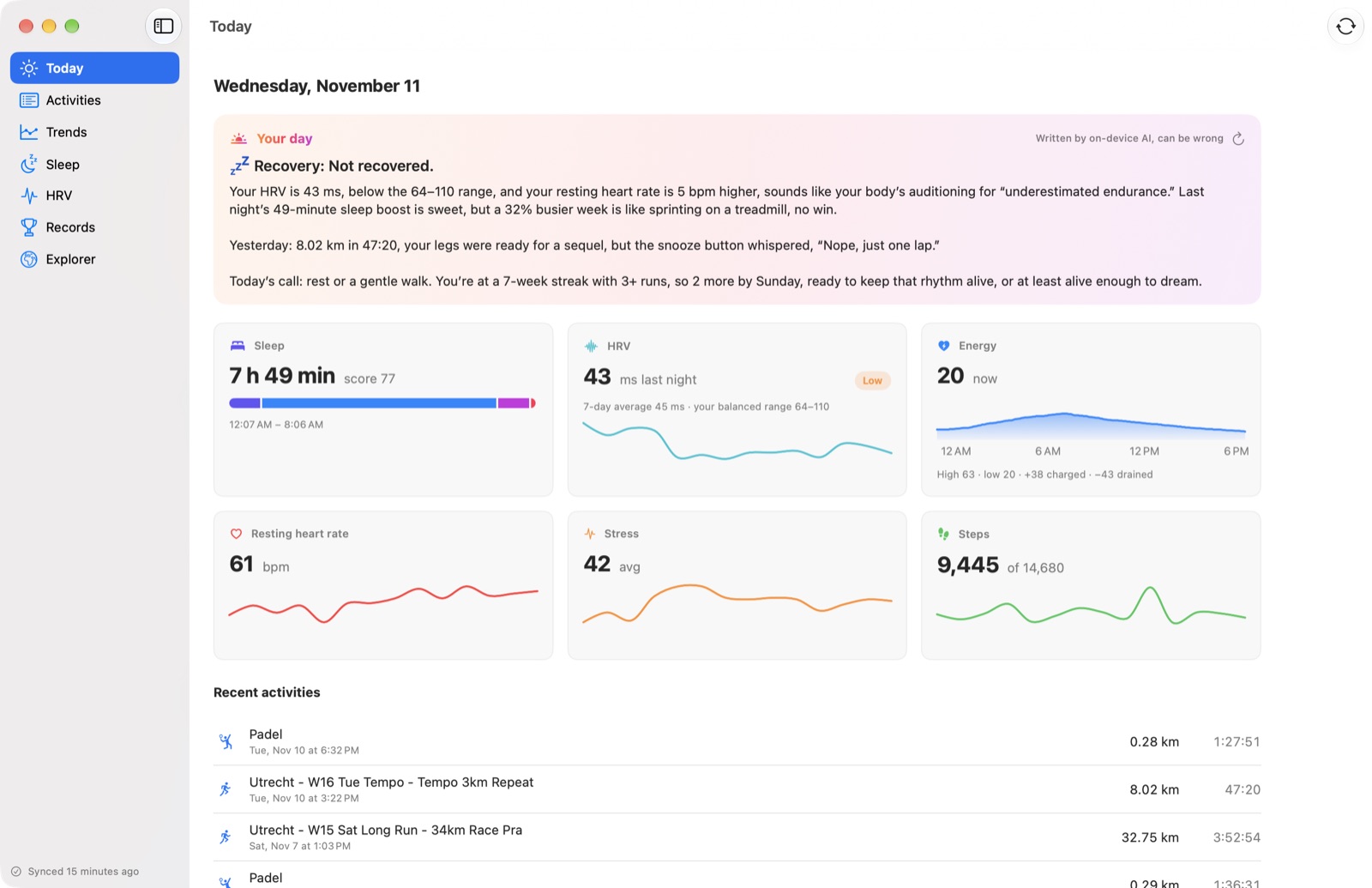
Splits showing today: a morning briefing, last night's sleep, HRV, energy, resting heart rate, stress and steps

Activities

Every run, ride and swim, in detail.

All your activities in one fast table, back to the very first. Open one for its route, heart rate, pace and elevation, splits that match your watch's laps, your fastest stretches, heart rate zones and a coach's take that knows a tempo session from an easy jog.
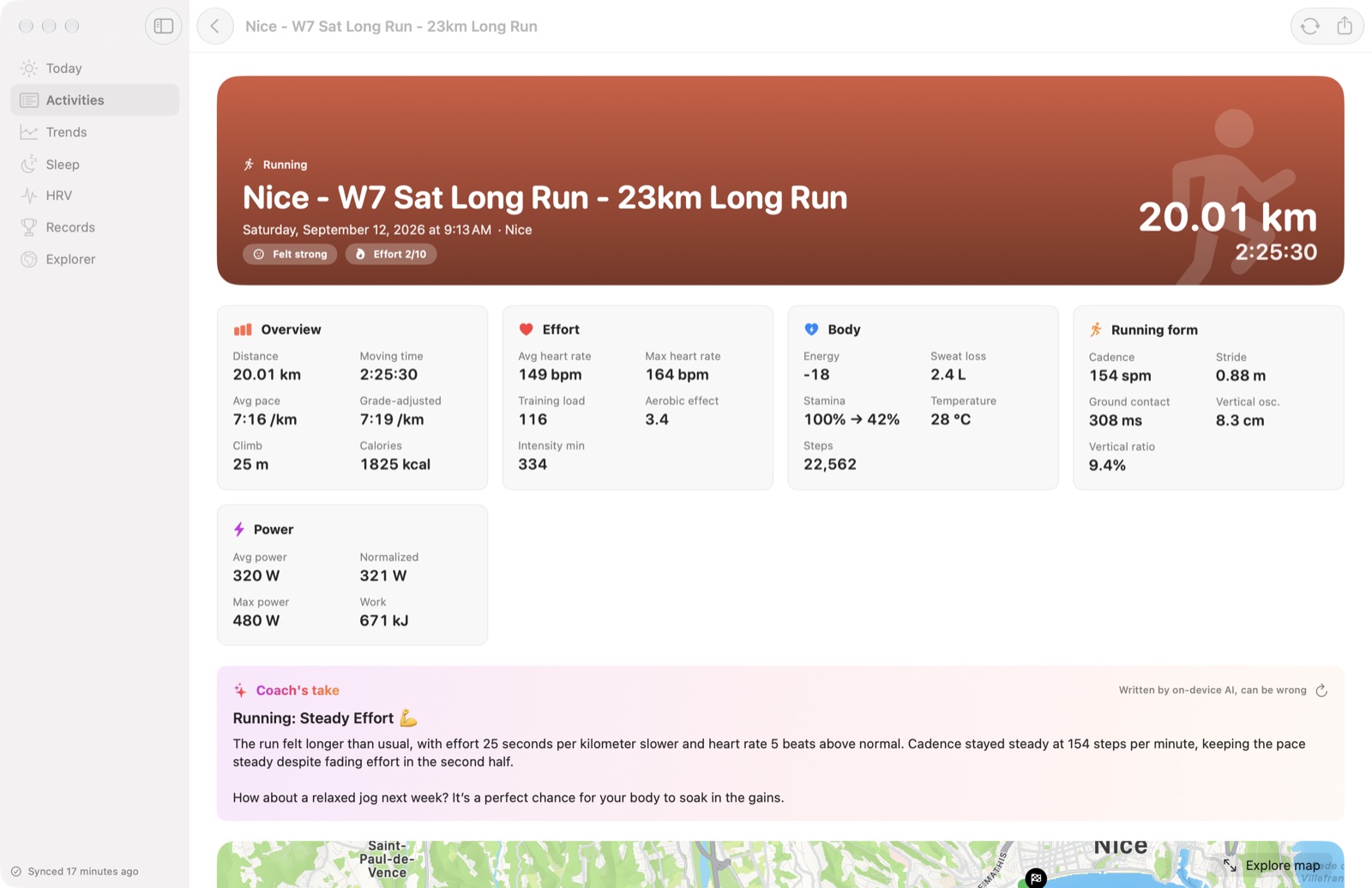
An activity: overview, effort, body and running form, power, and a coach's take

Sleep

Last night, and the nights before it.

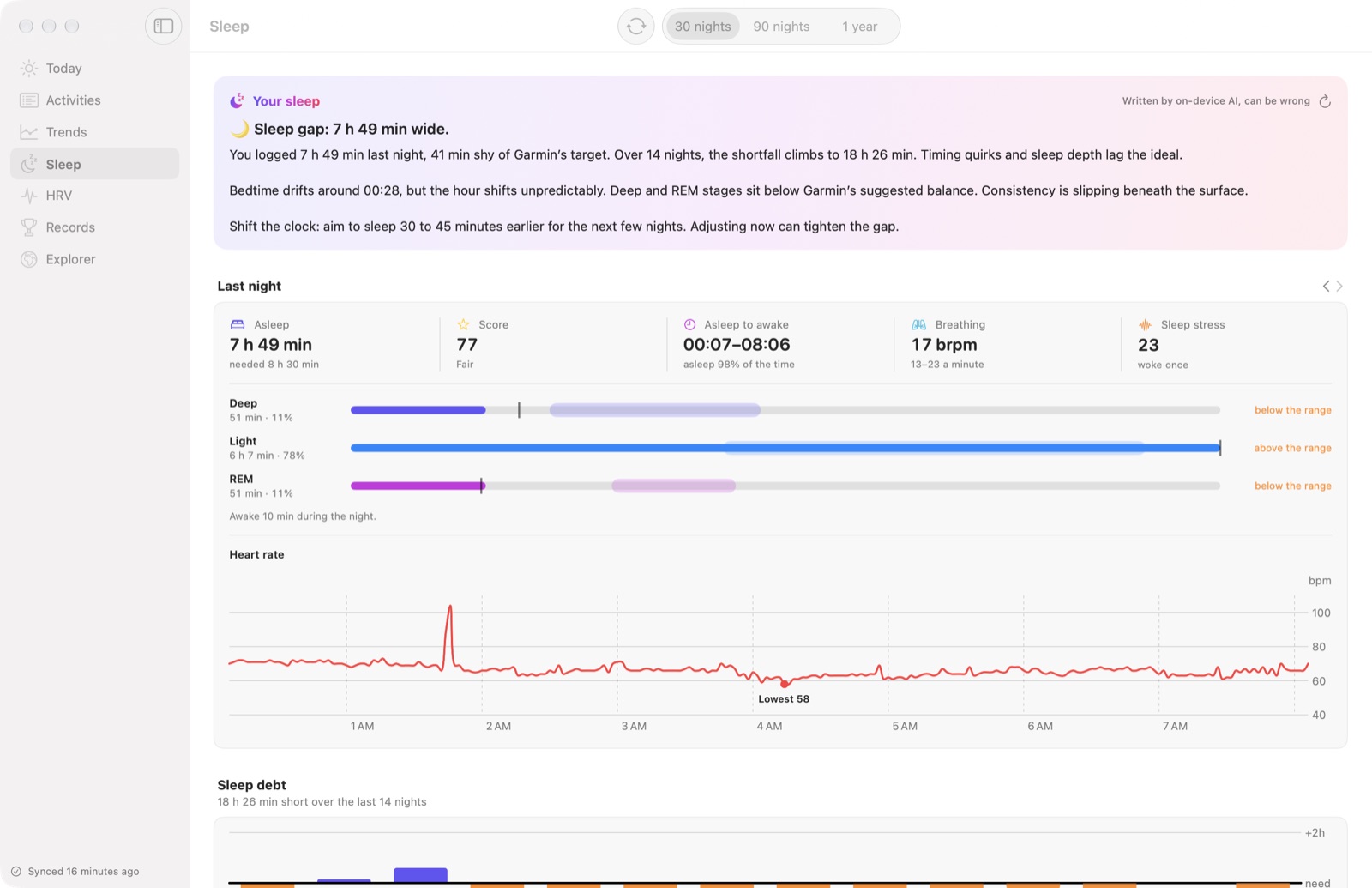
Your stages against the optimal ranges, heart rate through the night, sleep debt against the sleep your watch says you need, how regular your bedtimes are, and your body clock: how much later you sleep at weekends, and whether you're an early bird or a night owl.

Sleep: a coach's read, last night's stages against the optimal range, and overnight heart rate

HRV

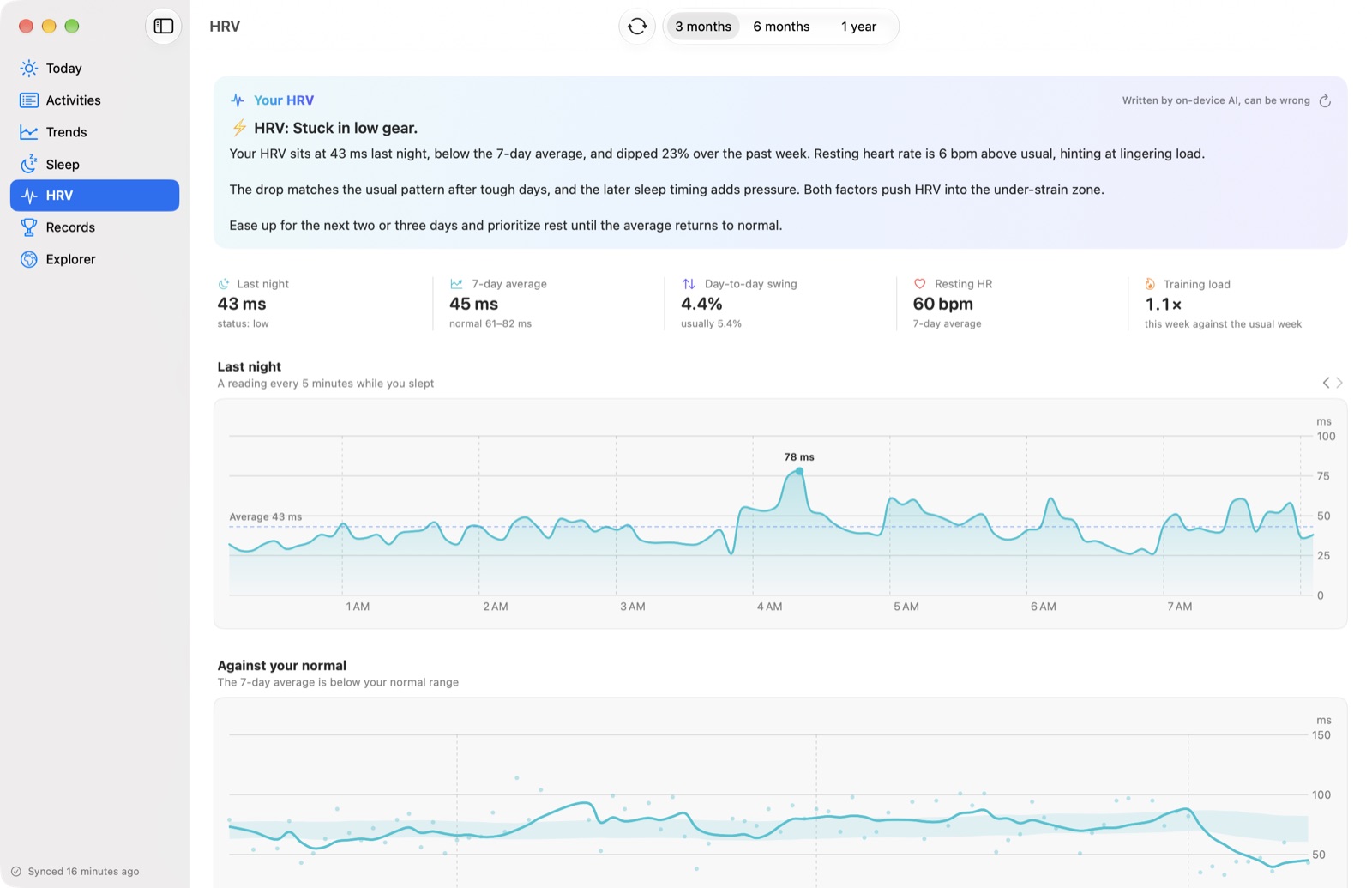
Recovery, read like a sports scientist would.

Your 7-day HRV against a normal range from the 60 days before, how much it swings from day to day, how it moves with your resting heart rate, and what tends to come before a low or a high morning: hard days, late nights, short sleep.

HRV: last night's readings every five minutes and the 7-day average against your normal range

Records

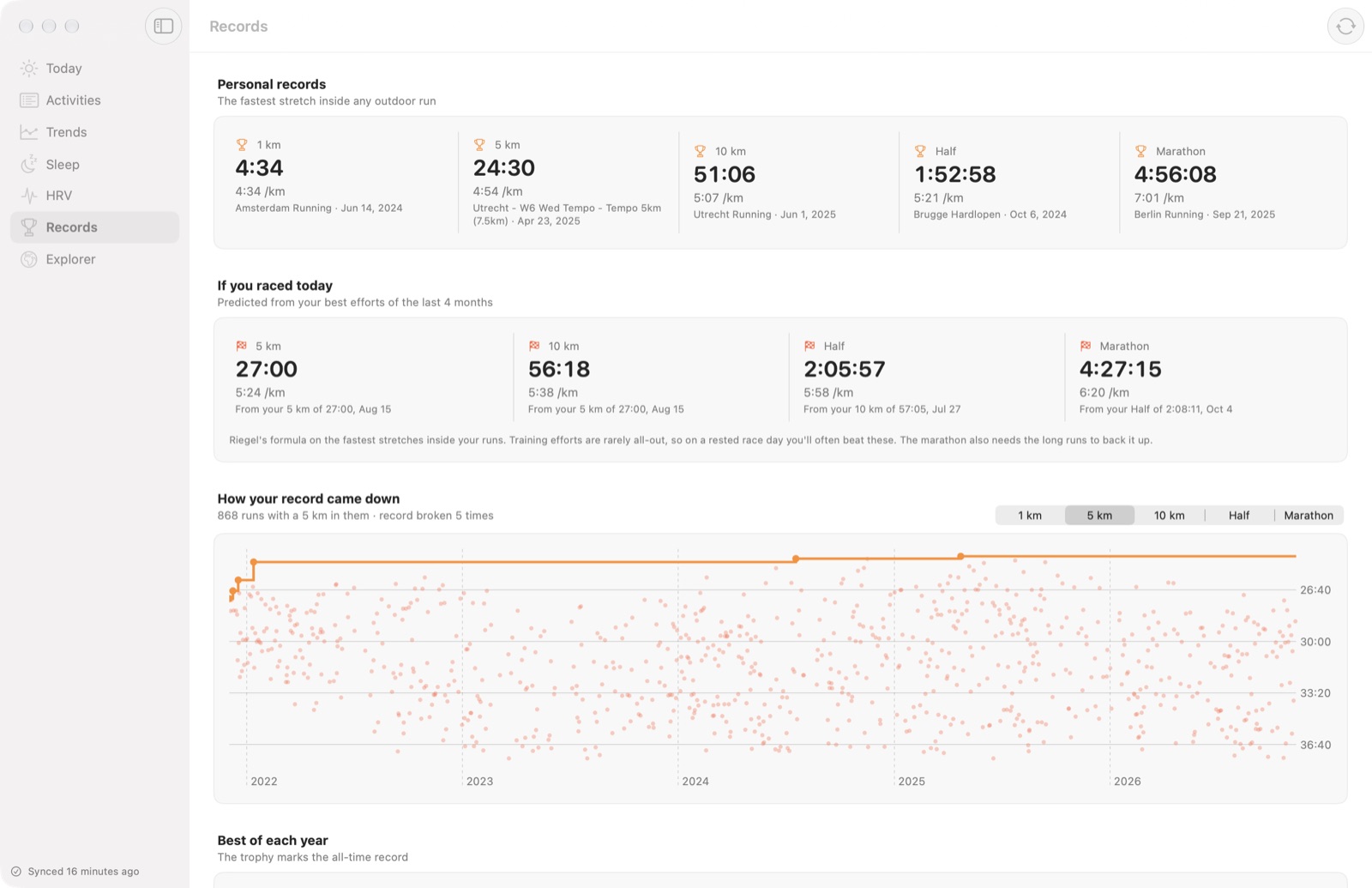
Your fastest 5K is hiding in a long run.

Splits finds your best 1 km, 5 km, 10 km, half and marathon inside every outdoor run, shows how each record came down over the years, and predicts what you'd run if you raced today.

Records: personal bests, race predictions and how the 5 km record came down

Explorer

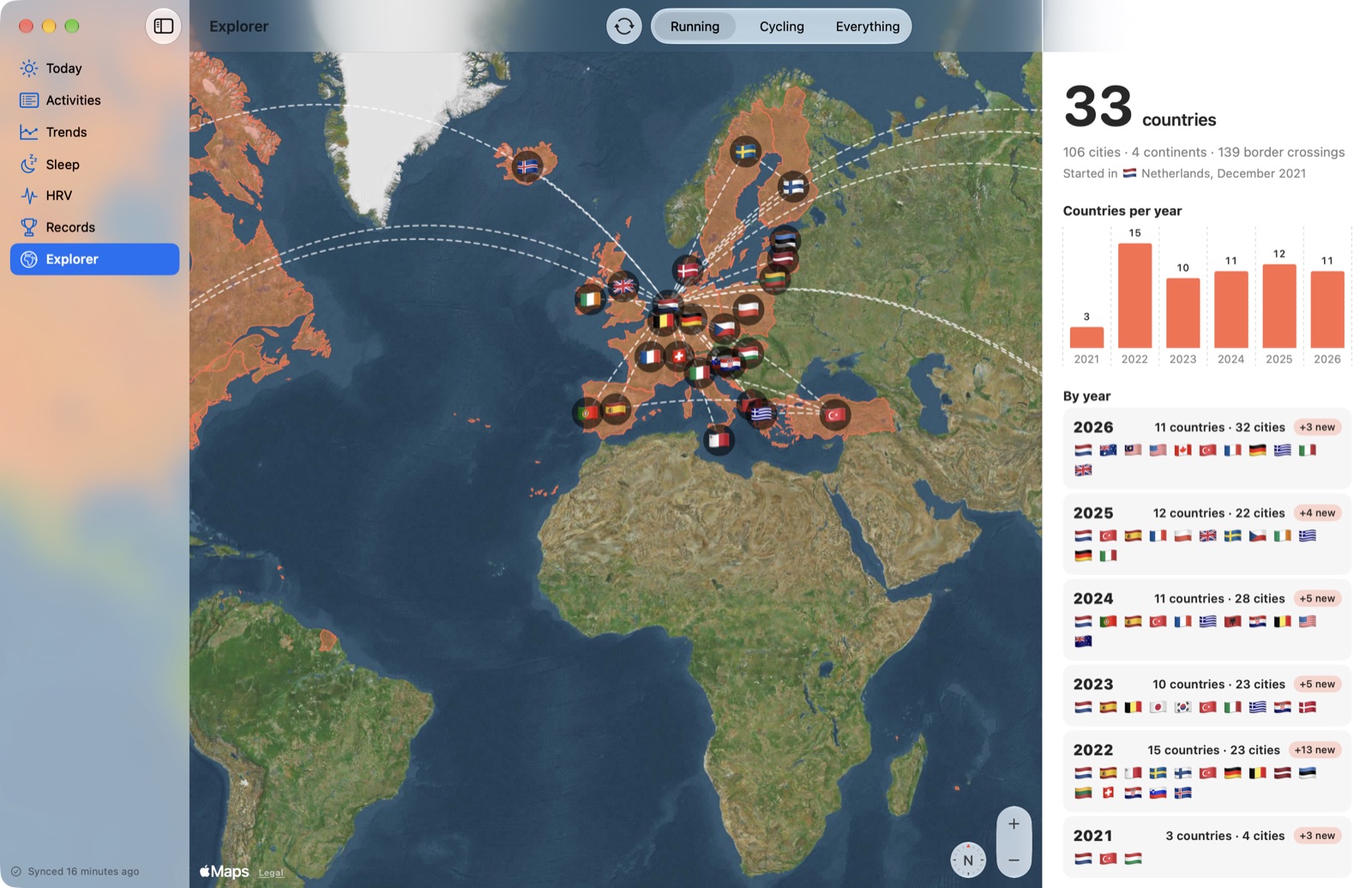
Everywhere you've run.

Every country and city you've been active in, joined up in the order you went, year by year. Places are found on your Mac from bundled maps, so where you run never leaves it.

Explorer: a world map with the countries run in, and countries per year

Private by design.

Your key, your data

Splits uses a Personal API key you create in your own Garmin Connect account. It lives in your Mac's keychain and is only ever sent to that API, to fetch your own data.

No server, no tracking

There's no Splits account and no Splits server. Everything it downloads stays on your Mac. No analytics, no ads, and this site has no cookies either.

AI that stays home

The coach's notes are written by Apple's on-device model, on your Mac. Nothing is sent to a cloud AI. The verdicts come from the numbers; the model only puts them into words.

Up and running in a minute.

  1. 1

    Download Splits

    Unzip it and move Splits to your Applications folder. It's signed and notarized by Apple, and updates itself.

  2. 2

    Create a key

    In Garmin Connect on the web, open Settings › Personal API Key, create one and copy it.

  3. 3

    Paste it in

    Splits fetches your history, all of it, and keeps up from then on.

Download for Mac

Questions

Is it really free?

Yes. No ads, no subscription, no in-app purchases. Splits is open source under the MIT License.

Which watches work?

Any watch or device whose data reaches your Garmin Connect account. Splits shows what your device records; not every device records everything.

What do I need?

A Mac with macOS 14 or later; it's tested on macOS 26 and later. The coach's notes need macOS 26 with Apple Intelligence turned on. Everything else works without it.

Why a Personal API key?

It's how you give your own app access to your own data, without a password and without a server in between. You can delete the key in Garmin Connect at any time, and Splits stops.

Is it medical advice?

No. Splits is not a medical device. Its numbers and notes are general fitness information and can be wrong. Talk to a doctor about anything health related.